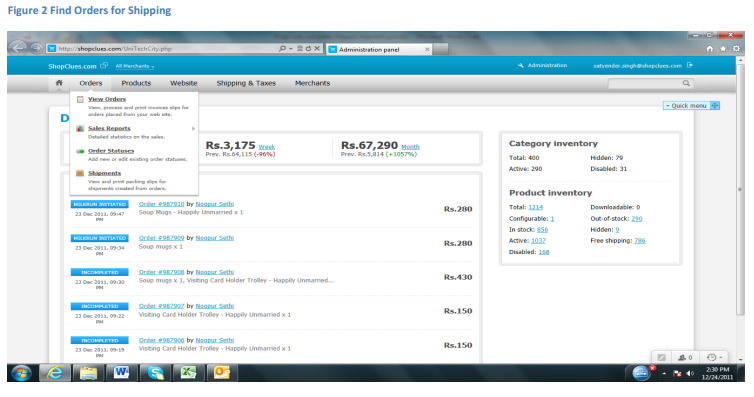
All orders that are in Open & Paid status need to be prepared for
shipping
Step 2. Preparing shipments for dispatch
For each order that needs to be shipped do the following:
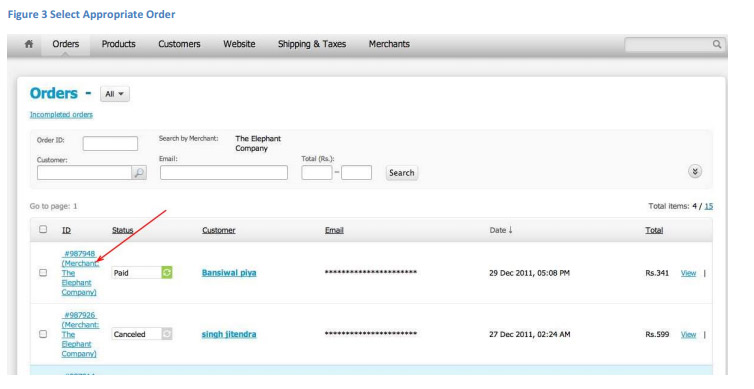
Click on the order (see figure 3)
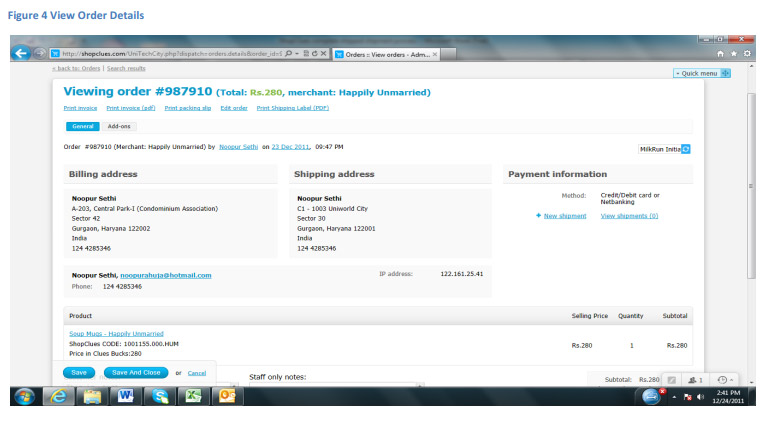
Verify the details of the product to be picked for shipping (Note there
could be more than one product per order) (See Figure 4)
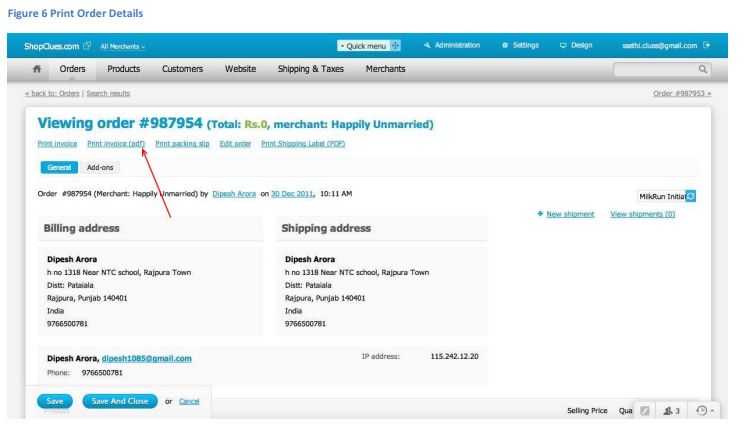
Print Order Details Page by clicking on "Print Order Details (PDF)" link.
Note that Order Details goes inside the shipping box. (See Figure 6)
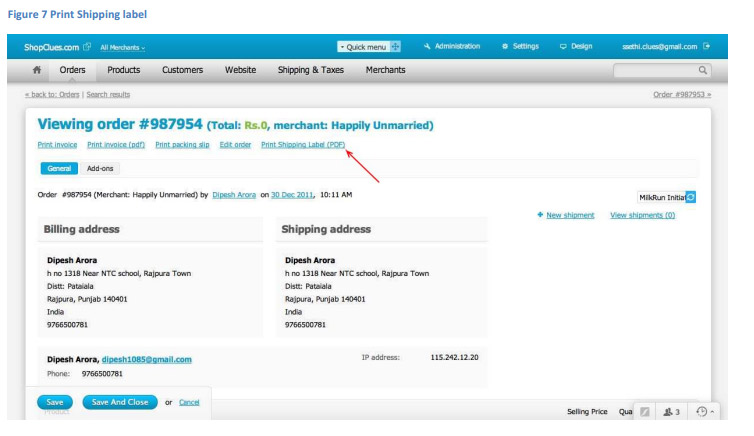
Print Shipping Label by clicking "Print Shipping Label (PDF)". Note the
shipping label might have to be cut to fit the shipping box (if the box is
small). (See Figure 7)
Stick the Shipping Label on the box. Tape the Address portion with a
clear packaging tape, to prevent smudging of ink while handling.
Step 3. Attach Airway Bill & Create Shipment
After the product is packaged with Shipping label attached, add the
Courier companies Airway Bill or Docket Number to the package.
Open the appropriate order (see Figure 3 & 4).
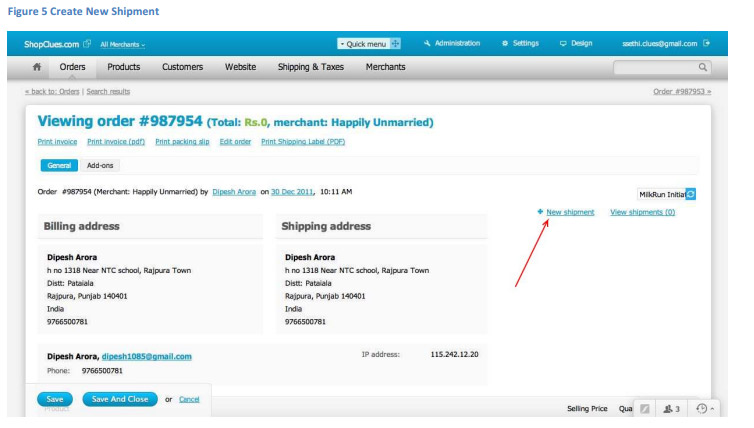
Click on "+ New Shipment" (See Figure 5).
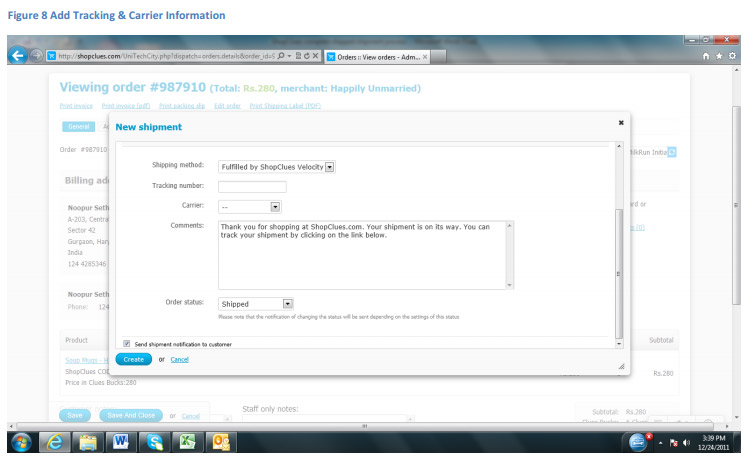
Add the AWB/Docket No. on the "Tracking Number" field (See Figure 8)
Add the appropriate "Carrier" from the dropdown. (See Figure 8)